October update: mistakes first, a question-by-question tutor, and monthly reports on the 1st
Grading results now open with the questions to fix, the AI Tutor lets your student pick any question with hints ready instantly, and paid plans get a monthly report on the 1st. With screenshots.

Over the past two months we rebuilt grading results, the AI Tutor and progress reports based on what parents told us. The goal is simple: spend less time finding out where your student went wrong and what to practise next.
1. Grading results: the questions to fix come first
You no longer wait for the whole sheet — each question appears as soon as it's marked. The result screen opens with "To fix", showing your student's answer next to the correct one.
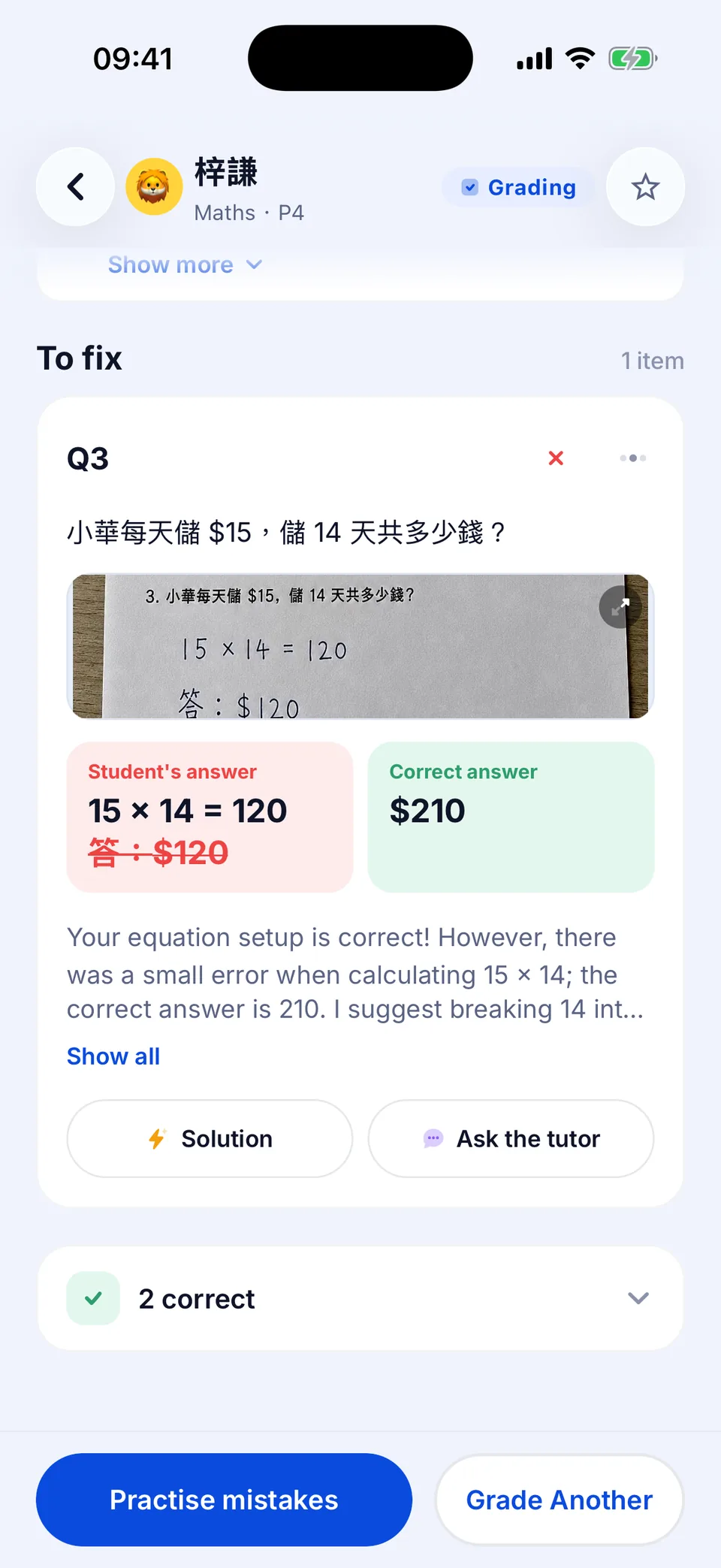
- Marks per part: every sub-part shows its own "marks / total", so you see exactly where marks were lost.
- Small slips, gently flagged: an English answer that's right apart from capitals or punctuation still counts as correct, with a "Small slip" note.
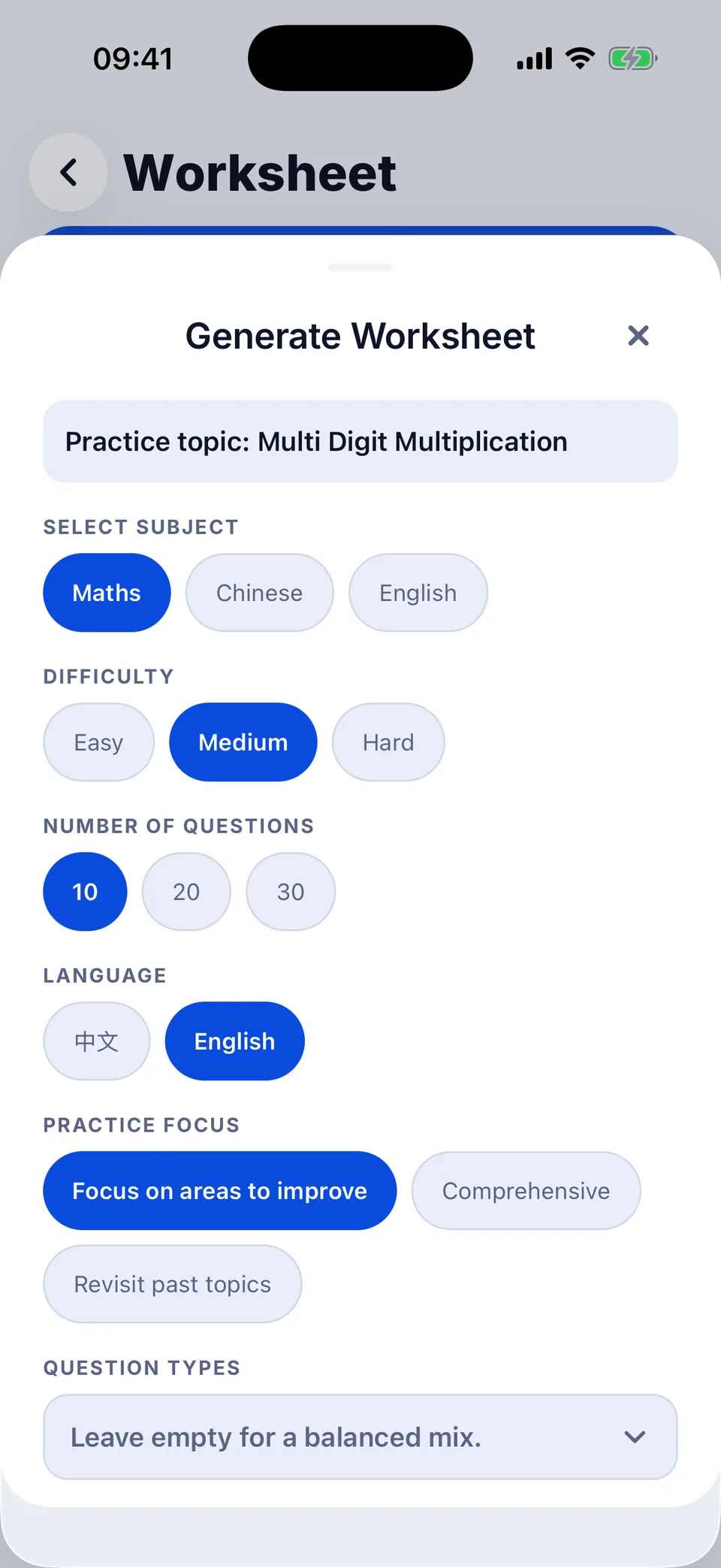
- Practise mistakes: tap "Practise mistakes" at the bottom and a worksheet is pre-filled on the topic your student missed most — check it and generate.
2. AI Tutor: pick a question, hints appear instantly
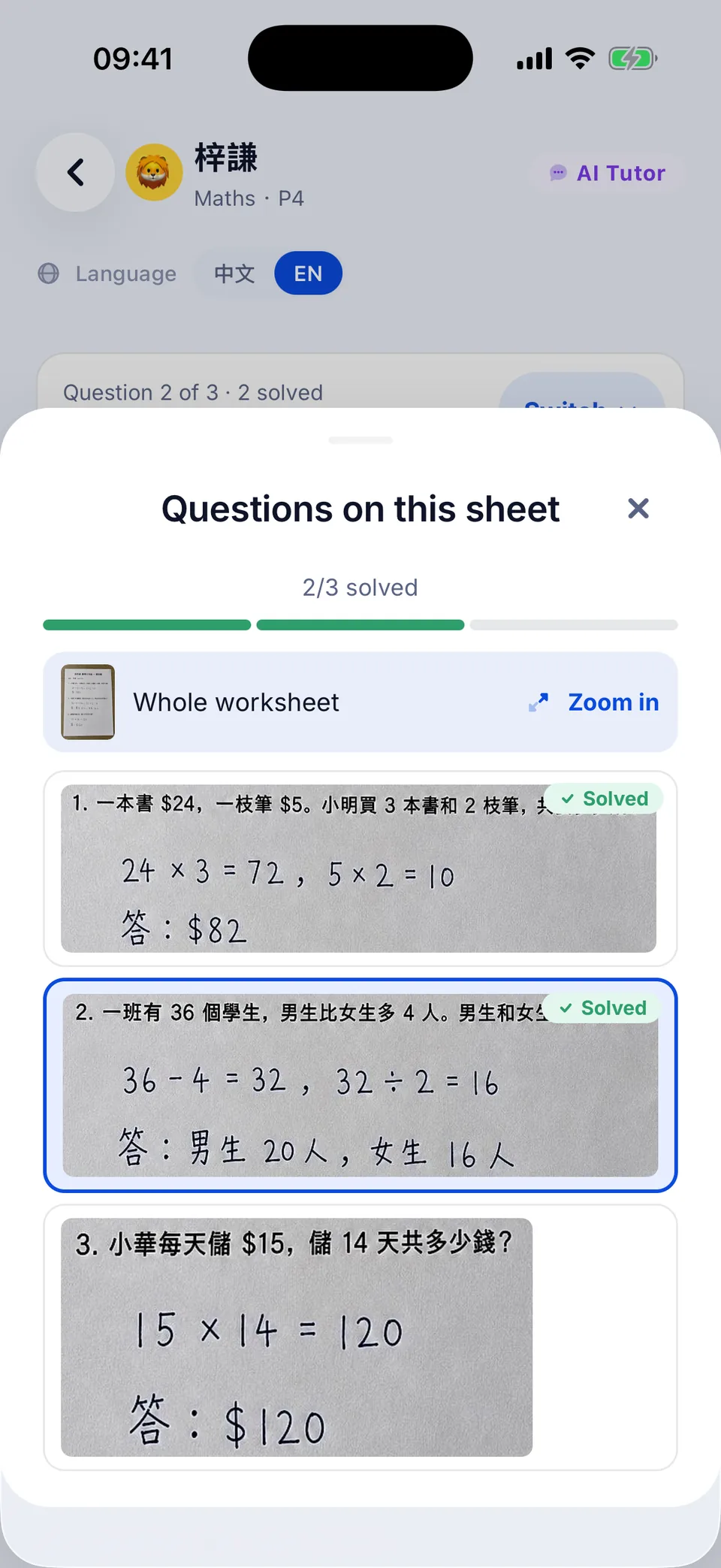
After photographing a whole worksheet, tap "Pick a question" to open "Questions on this sheet". Every question has a crop of the original photo, so your student can see which one is which; finished ones are marked "Solved".
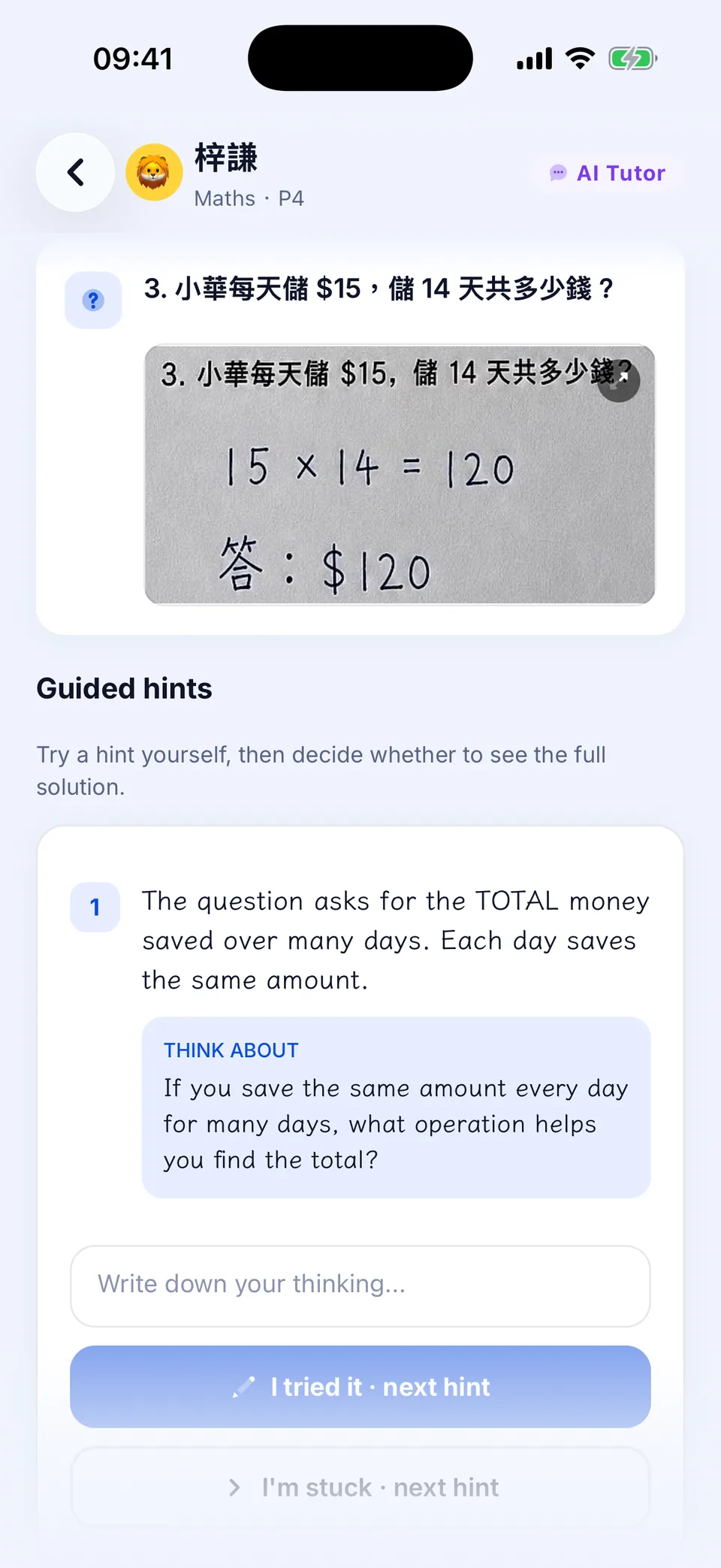
- Pick a question and the hints are already there — no waiting.
- After a try, your student types an answer under "Write down your thinking..." and taps "I tried it · next hint". If it's right, the tutor says so straight away; if not, the next hint appears.
- Only when they really need it, tap "Show full solution".
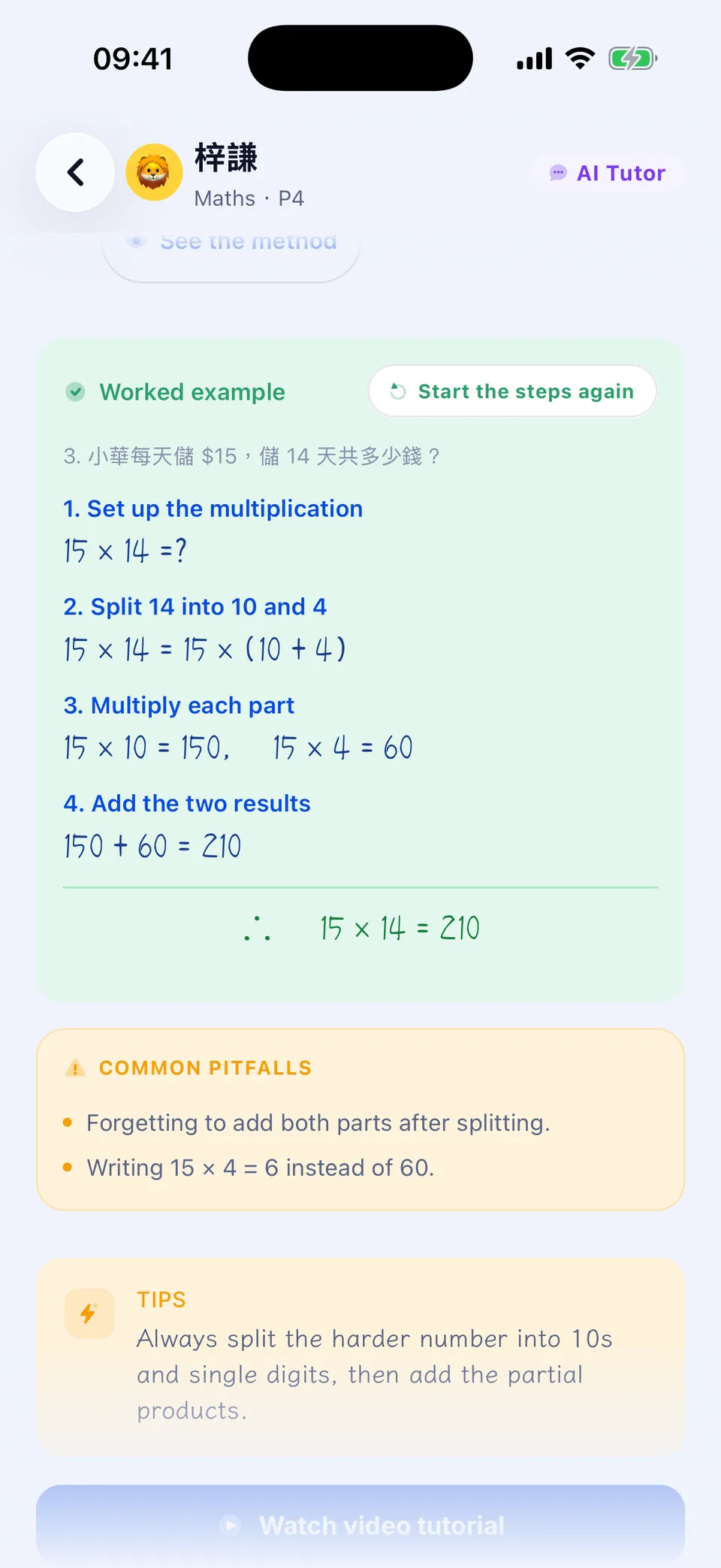
For clocks, Hong Kong money, number lines, fractions, bar models, shapes and angles, the tutor also draws the matching diagram under the solution steps.
3. Monthly reports, delivered on the 1st
On paid plans, any student with graded work that month gets last month's report at 9am on the 1st, and you get a notification. Automatic reports don't use your report quota.
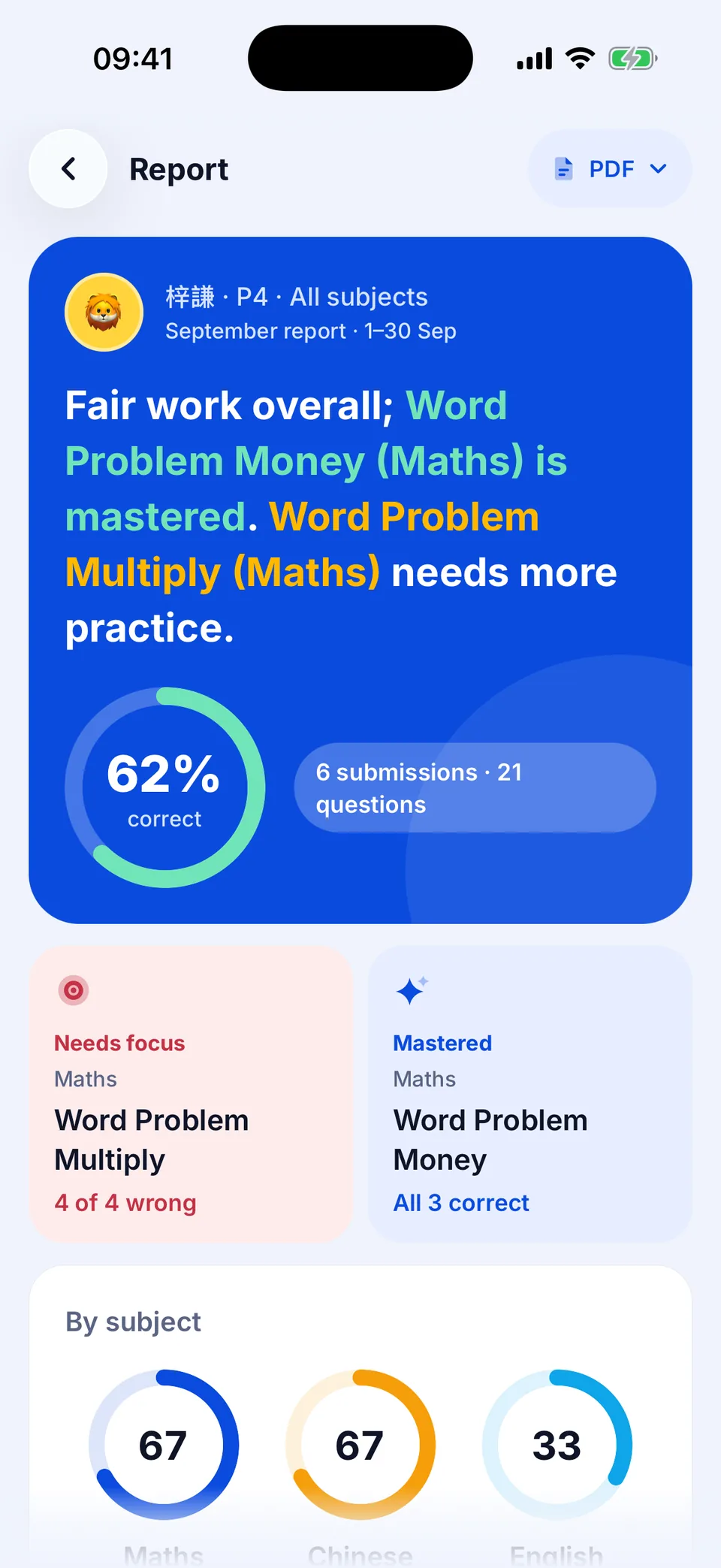
- When there's a previous month to compare, it also shows what improved most.
- Then subject results, the weekly trend, a topic map and the "Mistake magnifier".
- It ends with "This week's practice plan" and a note of encouragement for your student.
- "Download PDF" to print, or "Share on WhatsApp" to send it to family.
4. Students sign in on their own device
If your student does homework on their own tablet or phone, they no longer need a password: go to More → Manage Students, choose the student, then Device login → "Show login QR code". Your student opens Student Login on their device and scans it. Each QR code works once.
No homework to hand? See a sample first
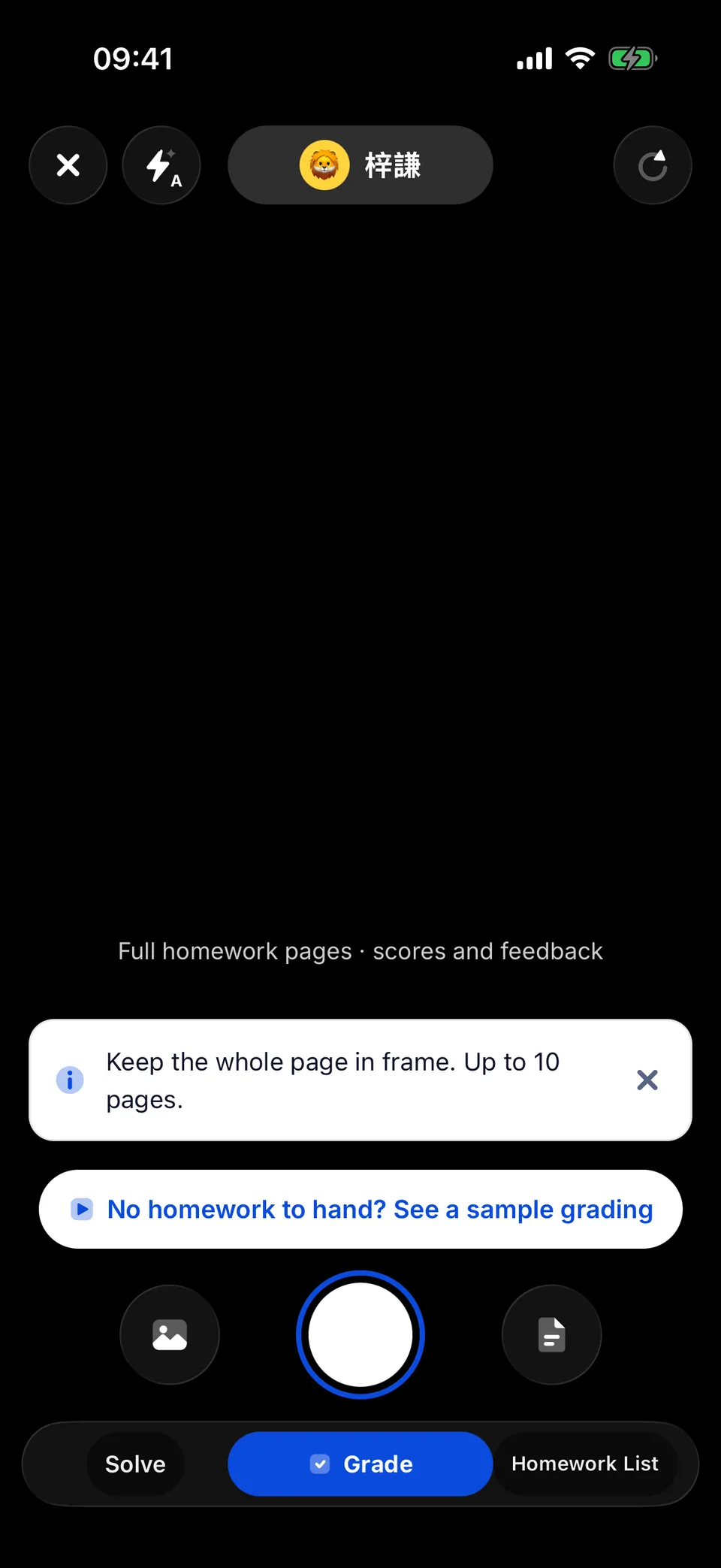
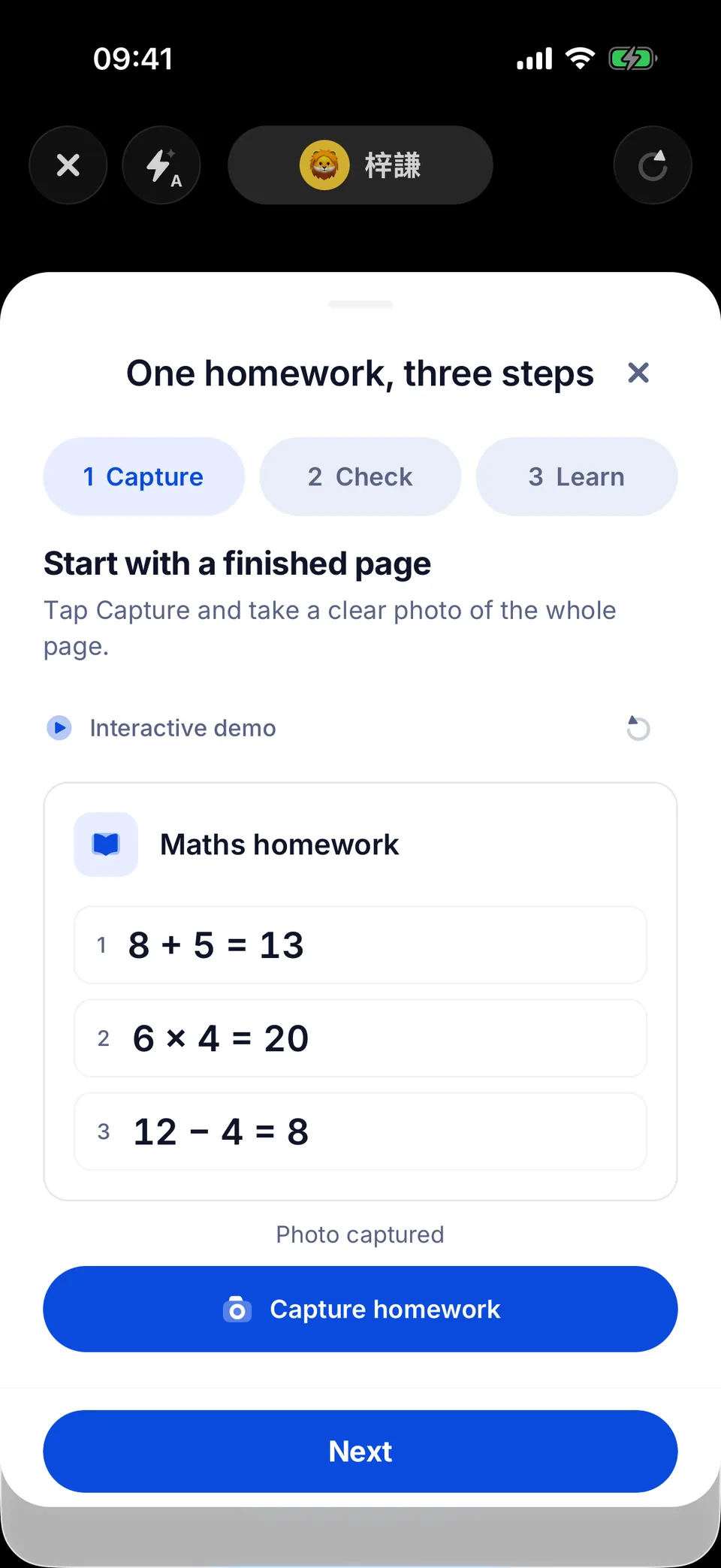
You don't have to wait for your student's homework — walk through a complete sample grading and see how the result screen works in a minute.
New users can try Pro free for 7 days — see More → Plan & usage.
Is there a feature you'd like us to prioritise? Tell us in More → Help & support — or snap tonight's homework and try the new version.
Former Hong Kong primary maths teacher with 15 years in the classroom. Built Tutor Wong after seeing the same homework mistakes thousands of times. Believes every error is a learning opportunity — if you know where to look.
All articles by Wong SirPractical learning tips each week
One tip each week, with ideas to support your child’s learning.
We'll only send tips. Unsubscribe anytime.
Disclaimer: The opinions expressed in this article are those of the author alone and do not represent the views or positions of 補習天王 (Tutor Wong), its founders, staff, or team. This article is provided for informational purposes only and does not constitute professional advice.
Keep Reading
General Studies Is Splitting Into Humanities and Science: Which Subject Is Your Child On This Year, and Does It Count?
General Studies is being replaced by Humanities and Science, two year levels at a time. Wong Sir's table shows which subject each year level takes this year and whether it counts for secondary allocation, plus what each subject covers, the new 呈分試 weightings, and how parents can help.
Wong Sir7 min5 Fun Ways to Master Times Tables
Help your child memorise multiplication facts with games, songs, and visual tricks.
Ms. Wong5 minHow to Help Your Child Manage Exam Anxiety
Practical tips for parents to reduce test stress and build confidence before exam season.
 Dr. Lam6 min